Blog
- corporate
- video
LED Video Wall Setups for Conference Rooms and Boardrooms
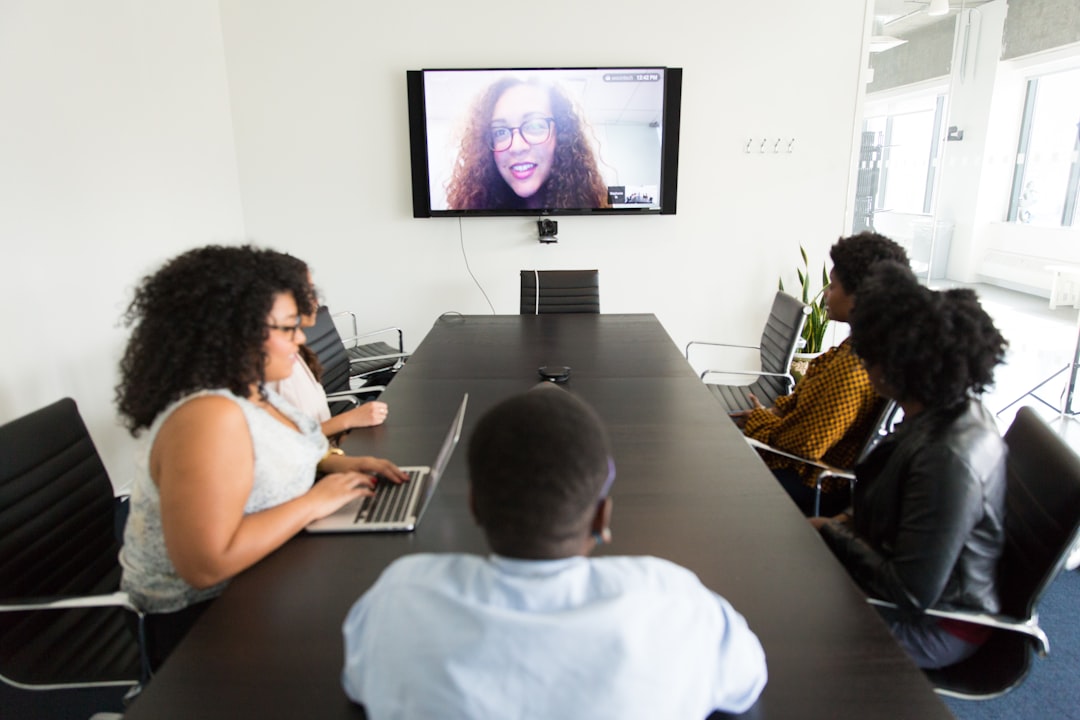
Planning an LED video wall for a conference room or boardroom in the Portland metro? Learn what actually works before you commit to a setup.
You're preparing for a high-stakes meeting — a board presentation, an executive briefing, or a multi-department strategy session — and the standard conference room display isn't going to cut it. The room is too wide, the content is too detailed, or the audience is too large for a single flat-panel screen to carry the visual weight. That's exactly when LED video walls enter the conversation. But renting or deploying one for a corporate setting raises immediate practical questions: How large does it need to be? What resolution actually matters at conference room distances? Who handles the signal routing when three presenters are switching between laptops? This guide addresses those questions directly, based on real boardroom and conference room setups in the Portland metro area.
What a Conference Room LED Video Wall Actually Involves
An LED video wall is not a single screen — it's a tiled array of individual LED panels assembled into a larger display surface. For conference rooms and boardrooms, typical configurations run anywhere from a 6-foot-wide single-row display to a 12-by-7-foot wall spanning an entire presentation end of the room. The pixel pitch — the distance between individual LEDs — determines how sharp the image looks at your seating distance. In a boardroom where the front row sits eight feet from the screen, a pitch of 2.5mm or finer is necessary for readable text and clean charts. In a larger conference space where the nearest seat is fifteen feet back, a 3.9mm pitch is often sufficient and meaningfully less expensive to rent.
The panels themselves require a controller unit, signal distribution hardware, and clean power — all of which need to be accounted for in the room layout before the setup crew arrives.
The Real Problems with Boardroom Display Decisions
The most common mistake organizations make is treating the display as the last decision instead of the first. Room dimensions, ceiling height, seating configuration, and ambient light all constrain what will actually work — and none of those factors change once the event is booked.
Ambient light is the most underestimated problem. Conference rooms with floor-to-ceiling windows on the presentation wall wash out projector-based displays completely. An LED video wall produces its own light rather than reflecting it, which means it performs in lit rooms where projection fails entirely.
Signal management is the second problem nobody plans for. A boardroom with three presenters using different laptops, a video conferencing system, and a house desktop all need clean signal routing to a single display. Without a proper switcher or scaler in the signal chain, you get dropped inputs, resolution mismatches, or the IT team rebooting cables in front of a room full of executives.
Room acoustics compound the issue. A visually commanding LED wall in a room with poor audio is still a failed presentation. Boardrooms that use the video wall for hybrid meetings — where remote participants need to hear clearly — require matched audio reinforcement, not just laptop speakers.
What's at Stake When the Setup Doesn't Perform
A boardroom is not a forgiving environment for technical failure. The people in the room are typically senior: board members, executive leadership, major clients, or funding partners. A display that flickers during a financial presentation, a signal that drops when the second presenter connects, or a video call where remote attendees can't hear the room — these aren't minor inconveniences. They signal to the people watching that the host organization didn't prepare.
More practically: if the setup fails and the meeting has to proceed without reliable visuals, the content that took weeks to prepare doesn't land the way it was designed to. Decisions get deferred. Follow-ups get scheduled. The cost of a failed boardroom presentation is almost never just the cost of the event itself.
How Professional AV Rental Solves These Problems
Renting an LED video wall through a professional AV provider — rather than purchasing panels or relying on in-house displays — gives you access to the right configuration for the specific room, not a one-size-fits-all solution.
For ambient light: LED panels rated at 800 nits or above hold up in fully lit conference rooms without requiring blackout shades or dimmed overheads. The rental includes panels matched to your room's lighting conditions.
For signal management: A professional setup includes a multi-input switcher and scaler already configured for your presenter count. Laptop connections, video conferencing feeds, and house sources are all routed cleanly before the first attendee walks in.
For audio: EventGear PDX pairs video wall rentals with matched audio — boundary microphones for hybrid meeting pickup, ceiling-delay speakers for larger rooms, or compact line-array systems where the room calls for it. The visual and audio systems are spec'd together, not bolted together at the last minute.
Equipment arrives tested, delivered on-time to Portland metro venues, and set up by technicians who've configured these systems in real boardrooms — not just in a warehouse. Local technician support is available throughout the event if anything requires adjustment.
Frequently Asked Questions
Get the Right Setup for Your Room
Describe your room dimensions, presenter count, and meeting date to our Corporate Events Team and we'll recommend a specific LED wall configuration with matched audio. Most Portland metro boardroom setups can be confirmed within one business day.